
How to submit documents
- Log in with ID-porten or with your email address and password.
- Find your application under “Submitted applications”.
- Click the “Submit additional documents” button next to your application.
- Select the document type and submit.
You will receive an email confirmation once your documents have been submitted. You do not need to contact us to check whether we have received your documents.
What you cannot send
Our system has limits on file sizes when you upload your documents. If your file is too big, you have to divide it into smaller files.
We do not accept documents, pictures, videos or sound files sent to us on physical storage devices, such as DVDs, memory sticks or CDs. We return these without opening the files.
It can take up to 30 days
The documents are usually added to your case within one day, but it can take up to 30 days if the information about the documents is incomplete. We will contact you if any documents are missing.
Frequently asked questions
-
I am not sure if UDI has received my documents. How can I find out?
When you submit documents to UDI, you will receive an email confirmation.
The confirmation shows which documents you have submitted and what information you have provided. This confirms that we have received your documents. We will contact you if any documents are missing.The documents are usually added to your case within one day, but it can take up to 30 days if the information about the documents you uploaded is incomplete. Many people submit documents for their case at the same time, so there may be times when it takes longer for us to process them.
You do not need to contact us to check whether we have received your documents. We cannot process your documents any faster.
-
How do I submit documents without an application to link them to?
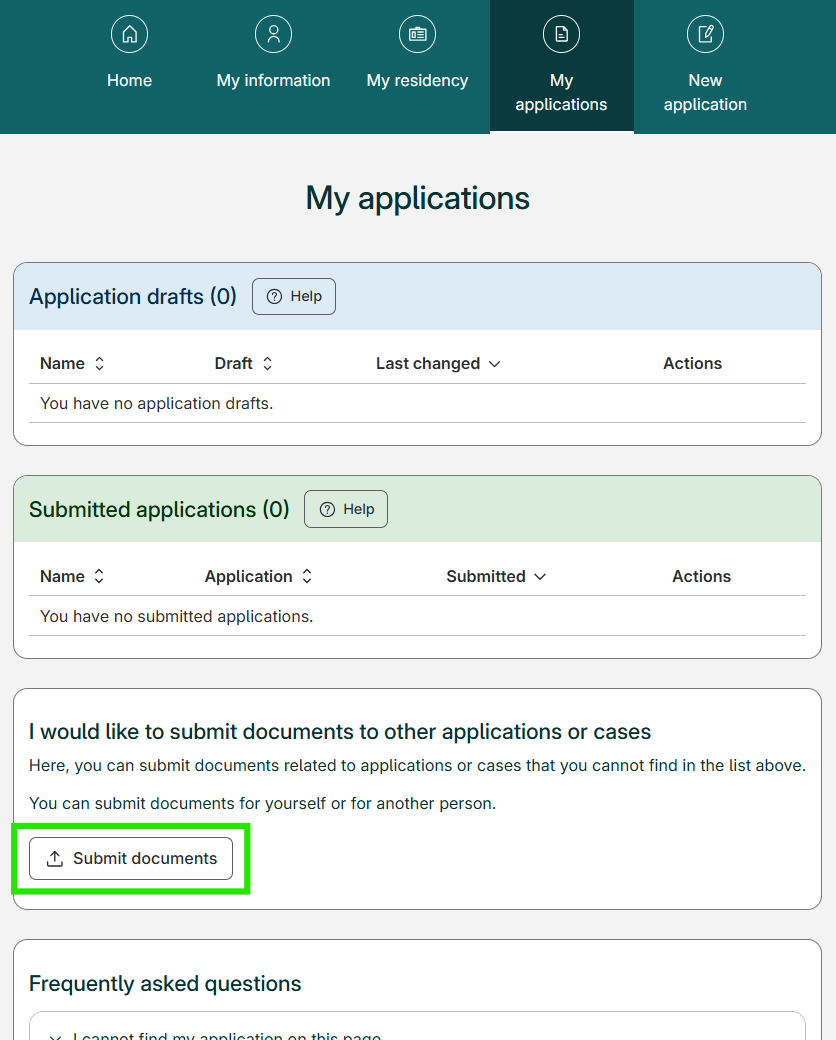
If you want to submit documents to an application or case not displayed in your My applications list, you can use the "Submit documents" button. This will take you to the page where you can submit documents without connecting them to a specific application.
You will find the "Submit documents" button on My applications, under your applications and the heading "I would like to submit documents to other applications or cases", and above "Frequently asked questions".
-
I cannot find the ‘Submit additional documents’ button. Where is it?
Have you paid the application fee?
If you have to pay an application fee, you must pay it to submit documents for your application.
After you pay the fee, you can add documents to your application using the "Send additional documents" button next to the application in My applications.
Do you want to submit documents that are not linked to a specific application?
You can find the instructions under “How do I submit documents without an application to link them to?”
-
I cannot find my application under ‘Submitted applications’. What should I do?
If you can not find your application on My applications, it might be due to one of the following reasons:
1. You used a different login method
Applications are only displayed on My applications when you log in using the same login method as you did when you first created the application.
UDI offers two different login methods:- ID-porten
- Email address and password
If you cannot find your application, try logging in with the other login method.
2. Not all application types are displayed on My applications
Among others, first time applications for protection (asylum), applications for assisted return and repatriation, and applications that were submitted on paper are not displayed on My applications.
3. The application was submitted before April 2022
Some applications submitted before April 2022 require that you contact UDI directly to request access.
If you still can not find your application after logging in, you can still upload documents by using the "Submit documents" button at the bottom of the My applications page. This allows you to submit documents that are not directly connected to an application.
-
How do I send documents for an asylum case?
It is now possible to submit documents digitally for asylum cases.
1. Log in or create a user on My page (external website).
2. Use the link in the guidance for "How do I send documents?" at the bottom of My applications.
3. Fill out the form and select the case type Protection.
4. Select the document type, upload and submit documents. You will receive an email confirmation when the documents have been submitted.
If you are unable to submit documents digitally for an asylum case, you can send documents by post. Read how to send documents by post here.